Solved: Chrome v18, self signed certs and “signed using a weak signature algorithm”
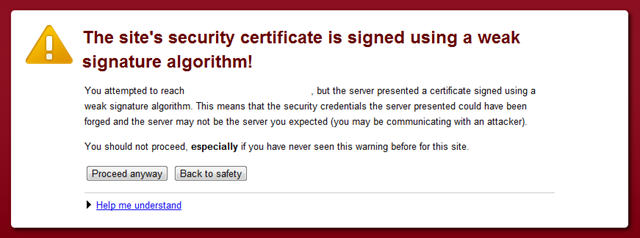
So chrome has just updated itself automatically and you are now running v18 – great. Or is it… If like me, you are someone that are running sites using a self-signed SSL Certificate (i.e. when running a site on a developer machine) you may come across the following lovely message;  Fear not, this is likely as a result of you following instructions you found on the apache openssl site which results in a self signed cert using the MD5 signature hashing algorithm.
Using OpenSSL
The simple fix is to generate a new certificate specifying to use the SHA512 signature hashing algorithm, like so;
openssl req -new -x509 -sha512 -nodes -out server.crt -keyout server.key
Simples! Now, you should be able to confirm the signature algorithm used is sha512 by looking at the details tab of certificate 
Notes
- If you change your certificate, be sure to reapply any private key permissions you require – such as allowing access to the application pool user.

Solution Architect with 30 years in cloud infrastructure, security, identity, and .NET engineering.